
Free · No sign-up
Free IT Tools for Small Business
Quick checks our technicians use every day, now free for you. Find out why email lands in spam, whether your domain can be spoofed, and what your DNS records really say.
 Email & domainEmail Domain Health CheckOne check for MX, SPF, DKIM, DMARC and blocklists, with a score out of 100 and a fix list.Open tool
 Email & domainMX Record LookupSee which mail servers receive email for a domain, their priority, IPs and provider.Open tool
 Email & domainSPF Record Checker & GeneratorValidate your SPF record, count the 10-lookup limit and build a new record.Open tool
 Email & domainDMARC Checker & Record GeneratorCheck your DMARC policy and reports, and generate a DMARC record.Open tool
 Email & domainDKIM Record CheckerFind and test DKIM keys by selector, including key size and revoked keys.Open tool
 Email & domainEmail Blacklist CheckCheck a mail server IP or domain against 14 email blocklists.Open tool
 Email & domainFree Email Signature GeneratorBuild a clean HTML signature and paste it into Outlook, Gmail or Apple Mail.Open tool
 Email & domainEmail Header AnalyzerPaste email headers to see authentication results, spam verdicts and delivery delays.Open tool
 DNS & websiteDNS LookupSee every DNS record for a domain or hostname: A, MX, TXT, CNAME, NS and more.Open tool
 DNS & websiteDNS Propagation CheckerCompare your nameservers with 10 public resolvers to see if a DNS change has spread.Open tool
 DNS & websiteSSL Certificate CheckerCheck a website's SSL certificate: expiry, names covered, chain and TLS version.Open tool
 DNS & websiteReverse DNS LookupFind the hostname behind an IP and check forward-confirmed reverse DNS for mail servers.Open tool
 Security & passwordsStrong Password GeneratorCreate strong random passwords in your browser. Nothing is sent or stored.Open tool
 Security & passwordsPassword Strength CheckerSee how long a password takes to crack and whether it has leaked in a breach.Open tool
 Security & passwordsPassphrase GeneratorRandom-word passphrases that are strong and easy to remember.Open tool
 Security & passwordsPhishing Quiz10 realistic emails. Spot the phishing and learn the red flags.Open tool
 Security & passwordsCybersecurity Risk Assessment17 quick questions, a risk score out of 100 and your top 5 fixes.Open tool
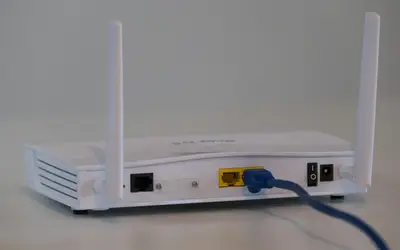 NetworkWhat Is My IP Address?See your public IPv4/IPv6 address, ISP and location, or look up any IP.Open tool
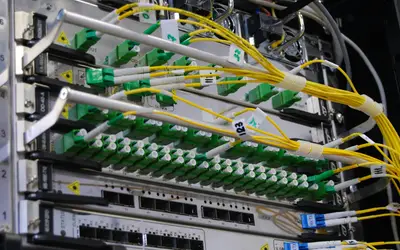 NetworkSubnet Calculator (IPv4 & IPv6)IPv4/IPv6 CIDR calculator with host ranges and subnet splitting.Open tool
 NetworkMAC Address LookupFind the manufacturer of a device from its MAC address (IEEE registry).Open tool
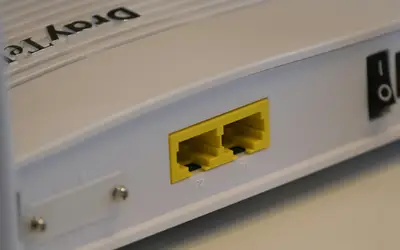 NetworkOpen Port CheckerTest which ports on your own connection are reachable from the internet.Open tool
 NetworkBusiness Internet Speed CalculatorWork out the download and upload speed your office really needs.Open tool
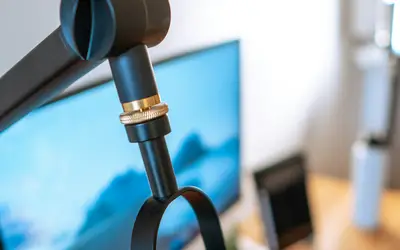 PC & hardwareMicrophone TestLive level meter, waveform and record-and-playback for any microphone.Open tool
 PC & hardwareWebcam TestCheck your camera, its real resolution and frame rate, and take a test photo.Open tool
 PC & hardwareKeyboard & Mouse TesterCheck every key, mouse button and scroll wheel, and spot double-click faults.Open tool
 PC & hardwareDead Pixel & Monitor TestFull-screen colors to find dead or stuck pixels, plus resolution and refresh rate.Open tool
 DNS & websiteWHOIS Lookup & Domain Expiry CheckRegistrar, expiry date, nameservers and transfer lock for any domain.Open tool
 DNS & websiteWebsite Security CheckGrade a website on HTTPS, SSL, security headers, cookies and outdated software.Open tool
 Security & passwordsPhishing Link CheckerCheck a suspicious link against known phishing sites without opening it.Open tool
 Security & passwordsEmail Data Breach CheckSee whether an email address appears in known data breaches and what leaked.Open tool
No tool matches that search. Try a shorter word, or ask a technician.
Which free tool do you need?
Most people land here with one specific problem: email bouncing, a website warning, a slow connection or a webcam that won’t show up on a Teams call. Start with the tool that matches the symptom. Each one explains its result in plain English and links to the next check if the first one doesn’t find the cause.
Email and domain tools
If messages land in spam, bounce, or customers say they never got your invoice, run the email domain health check first. It reads your MX, SPF, DKIM and DMARC records and checks the common blocklists in one go, then gives you a score and a fix list. Use the single-record tools (SPF, DMARC, DKIM, MX lookup) when you are changing one record and want to confirm the edit. The email header analyzer is the one to use when a single message went missing or got flagged, because the headers show every server it passed through.
DNS and website tools
Moving a website or email to a new host is where most DNS mistakes happen. The DNS lookup shows what your records say right now, and the propagation checker shows whether resolvers around the world have picked up the change yet. Before a domain or certificate runs out, the WHOIS lookup and SSL checker show the expiry dates, and the website security check grades HTTPS and security headers.
Security and password tools
Weak and reused passwords are still how most small business accounts get taken over. Make new ones with the password generator or the passphrase generator, which runs entirely in your browser. Test your team with the phishing quiz, check a suspicious link with the phishing link checker before anyone clicks it, and find out whether a work address appeared in a known breach with the email breach check. For an overall picture, the cybersecurity risk assessment asks 17 questions and lists your five most urgent fixes.
Network tools
When the internet feels slow or a remote connection won’t work, start with what is my IP to see the address and provider your office is really using. The open port checker tests whether a port is reachable from outside, the subnet calculator helps when you set up a VLAN or a VPN, and the MAC address lookup identifies an unknown device on your Wi-Fi. Planning a new connection? The business internet speed calculator estimates the bandwidth your team needs.
PC and hardware tests
Before a video call, the microphone test and webcam test confirm that the browser can see your devices. Nothing is recorded or sent anywhere. The keyboard and mouse tester finds stuck or dead keys, and the dead pixel test is worth running on any new or second-hand monitor while it can still be returned.
Who these tools are for
They are built for small and mid-size businesses that run on Microsoft 365, Google Workspace or hosted email and don’t have a full-time IT person. Each tool explains its results in plain English and tells you what to change, with a link to a step-by-step guide.
What we do with your data
The email and DNS checkers only read public records, the same information any mail server on the internet can see. The password, passphrase, microphone, webcam and keyboard tools run entirely in your browser, so nothing you type or record is sent to us. We don’t ask for an email address, and we don’t keep a list of the domains you check. Results are cached for five minutes so repeat checks are fast, then deleted.
If a check finds something you’d rather not fix yourself, a GoProIT technician can do it for you over a secure remote session.
Get help from a technician
Free tools find it. We fix it.
Want a technician to sort it out for you?
One-time remote fix for $59, or unlimited help for your whole team at $49 per user per month. No contract and no setup fee.