
Free · Nothing leaves your browser
Password Strength Checker
Find out how quickly a password could be cracked, which patterns make it weak, and whether it has already leaked in a data breach.
Result look wrong, or not sure what to change? A GoProIT technician can check it with you over a secure remote session. $59 per fix, Monday to Friday 8am to 8pm Eastern.
Book a technician(844) 734-1288How the check works
The strength score uses zxcvbn, an open-source estimator originally built by Dropbox. Instead of counting character types, it looks for what attackers actually try first: common passwords, dictionary words, names, keyboard patterns like qwerty, dates, years and repeated characters. That is why P@ssw0rd2026! scores badly even though it has every character type.
Everything runs in your browser. The password you type is never sent to our server.
How the leak check stays private
When you click Check if it has leaked, your browser turns the password into a SHA-1 hash and sends only the first 5 characters of that hash to Have I Been Pwned. The service returns every leaked hash that starts with those 5 characters, and your browser looks for a match locally. Neither we nor Have I Been Pwned ever see the password or its full hash. This method is called k-anonymity.
What the crack times mean
- Online attacks are guesses against a real login page. Most services limit these, so even a weak password survives a while, unless it’s one of the first passwords attackers try.
- Offline attacks happen after a company’s password database is stolen. Attackers can then try billions of guesses per second. This is the scenario that matters, because you can’t control how well every website stores passwords.
How to read your password strength score
The checker gives every password a score from 0 to 4. Each step is based on roughly how many guesses an attacker would need, using the same shortcuts real cracking tools use:
| Score | Rough number of guesses | What it means in practice |
|---|---|---|
| 0 | Under 1,000 | One of the first passwords tried. Change it today. |
| 1 | Under 1 million | Falls to a basic guessing list, even against a login page. |
| 2 | Under 100 million | Fine against a login page that limits attempts, weak if a database is stolen. |
| 3 | Under 10 billion | Reasonable for low-value accounts with multi-factor authentication. |
| 4 | 10 billion or more | What you want for email, banking and admin accounts. |
The warnings under the score tell you why. You might see messages such as “Straight rows of keys are easy to guess”, “Dates are often easy to guess” or “Names and surnames by themselves are easy to guess”. Fix the pattern it names rather than adding a symbol to the end: a symbol on the end is one of the first variations attackers try.
Weak passwords that look strong
Most passwords that fail a password strength test aren’t short. They are built from predictable pieces. Here are typical examples found on office PCs and what makes them easy:
| Password | Why it is weak |
|---|---|
Summer2026! | Season, year and a symbol on the end: a standard pattern in cracking rules. |
Qwerty123$ | Keyboard row plus a number sequence. |
Acme@Main2024 | Company name and street, both easy to find on your website. |
Br00klyn1988 | Place and birth year with number-for-letter swaps, which cracking tools undo automatically. |
Welcome1 | The classic “new starter” password many offices hand out. |
The better choice is a random password from our password generator, or six random words from the passphrase generator for the few you have to type.
Reading the leak check result
A match means that exact password appears in Have I Been Pwned’s Pwned Passwords collection, which is built from real breach dumps. Popular passwords appear there millions of times. Even one appearance means it is on lists attackers use, and it should never be used again on any account. It doesn’t matter whether the leak came from you or from someone else who happened to pick the same password.
A result of zero is good news, but it isn’t proof the password is safe. It only means the password isn’t in that collection. A weak password with no leaks can still be guessed, so look at the strength score as well.
Setting password rules for your business
Checking one password is useful. Making sure nobody on the team can pick Welcome1 is better. Both main business platforms let you set rules centrally.
Microsoft 365
- Microsoft Entra ID already blocks a global list of common and weak passwords for cloud accounts.
- A custom banned list, where you add your company name, products and town, is under Authentication methods > Password protection in the Microsoft Entra admin center. It needs Entra ID P1, which is included in Microsoft 365 Business Premium.
- In the Microsoft 365 admin center, Settings > Org settings > Security & privacy > Password expiration policy should be set so passwords never expire, in line with current NIST guidance.
Google Workspace
- In the Google Admin console, open Security > Authentication > Password management.
- Turn on Enforce strong password, set a minimum length of at least 12 (Google allows 8 to 100), and tick Enforce password policy at next sign-in so existing weak passwords get replaced.
- Leave expiration off unless a regulation requires it.
Check every saved password at once
You don’t need to type passwords into this page one by one. Most password managers and browsers can audit everything they store:
- Chrome: type
chrome://password-manager/checkupin the address bar to see compromised, reused and weak passwords. - Edge: open Settings > Passwords and look for the password health and leak warnings.
- Mac and iPhone: open the Passwords app (or the Passwords section of Settings on older versions) and check Security Recommendations.
- Business password managers usually have a security report or “watchtower” style dashboard that flags reused and leaked passwords for the whole team.
Start with the accounts that can reset others: your email, your Microsoft 365 or Google admin account and your domain registrar. If you find a leaked admin password and want help changing it without locking anyone out, a technician can work through it with you over a remote session for $59.
Frequently asked questions
Is it safe to type my real password into a password checker?
With this checker, yes: the strength test runs in your browser and the leak check only sends 5 characters of a hash. As a general rule, though, be careful with any site that asks for a password, and never enter it into a checker that sends it to a server.
What should I do if my password has been leaked?
Stop using it everywhere. Change it on every account that uses it, starting with email and banking, and turn on multi-factor authentication. A password manager makes it easy to give every account a unique password.
Why does my long password score low?
Probably because it is built from predictable parts: a common phrase, a name, a keyboard row or a date. Attackers’ tools combine dictionaries and patterns, so length alone doesn’t help if the pieces are easy to guess.
What score should a business password have?
Aim for 4 (very strong) on email, Microsoft 365, banking and admin accounts, plus multi-factor authentication. A score of 3 is acceptable for low-value accounts.
Is a 12-character password strong enough?
It is if it is random and the account has multi-factor authentication. A 12-character password you invented is often much weaker than its length suggests. For email and admin accounts, use 16 characters or more.
Why do different password checkers give different results?
Some only count length and character types, so P@ssword1 looks strong to them. Others, like this one, look for words, names, dates and keyboard patterns, which is how real attackers guess. Trust a checker that explains which pattern it found.
How accurate are crack time estimates?
Treat them as a guide, not a promise. The real time depends on how the website stored your password: a slow hashing method such as bcrypt holds out far longer than a fast, outdated one. The ranking between passwords is what matters: a password that shows centuries is far safer than one that shows minutes.
Does changing one character make a leaked password safe?
No. Turning Summer2025! into Summer2026! is one of the first things cracking tools try. Replace a leaked password with a completely new random one.
Related guides
- Password managers for small business
- How to tell if your business has been hacked
- Microsoft account locked: how to fix it
Get help from a technician
More free tools
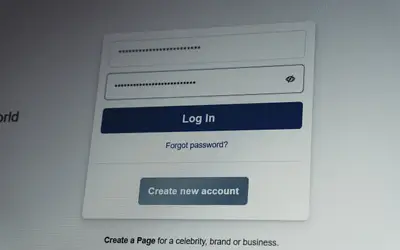 Security & passwordsStrong Password GeneratorCreate strong random passwords in your browser. Nothing is sent or stored.Open tool
 Security & passwordsPassphrase GeneratorRandom-word passphrases that are strong and easy to remember.Open tool
 Security & passwordsPhishing Quiz10 realistic emails. Spot the phishing and learn the red flags.Open tool
 Security & passwordsCybersecurity Risk Assessment17 quick questions, a risk score out of 100 and your top 5 fixes.Open tool
 Security & passwordsPhishing Link CheckerCheck a suspicious link against known phishing sites without opening it.Open tool
 Security & passwordsEmail Data Breach CheckSee whether an email address appears in known data breaches and what leaked.Open tool
 Email & domainEmail Domain Health CheckOne check for MX, SPF, DKIM, DMARC and blocklists, with a score out of 100 and a fix list.Open tool
 Email & domainMX Record LookupSee which mail servers receive email for a domain, their priority, IPs and provider.Open tool
Free tools find it. We fix it.
Want a technician to sort it out for you?
One-time remote fix for $59, or unlimited help for your whole team at $49 per user per month. No contract and no setup fee.