


Gmail not sending emails almost always comes down to where the message stopped. On an Android phone the app marks it “Queued” and leaves it in Outbox. On a computer it sits in Drafts or Outbox, sometimes with an error. In Outlook or Apple Mail, the program can’t sign in to Gmail to hand the message over.
A one-minute test tells you which. Open mail.google.com on a computer and send yourself two lines with no attachment. If it arrives, your account is fine and the trouble is the phone app or the mail program. If it fails there too, Gmail normally says why: a sending limit, full storage, or a work account that has been restricted.
A message that shows in Sent has left Gmail. If the other person has nothing, that is a delivery problem, covered in our guide to email bounce backs.
Try these first
- Send yourself a short test from mail.google.com on a computer. If it arrives, the account is fine.
- On the phone, open any website to prove the connection works, then swipe down in the Gmail inbox to refresh.
- Android: check that Sync Gmail is ticked for the account in the Gmail app settings.
- Take the attachment off and send again. If the text goes alone, the file was the problem.
- Look at one.google.com/storage. A full Google Account can’t send or receive.
- If Gmail says “You have reached a limit for sending mail”, stop sending. Google says it clears within 1 to 24 hours.
Rather not fix it yourself?
A GoProIT technician can connect remotely, with your permission, and fix it while you watch. $59 flat per fix · Mon–Fri 8am–8pm ET.
Find where the message is sitting
Before you change a setting, find the message itself. The folder it sits in tells you which part failed.
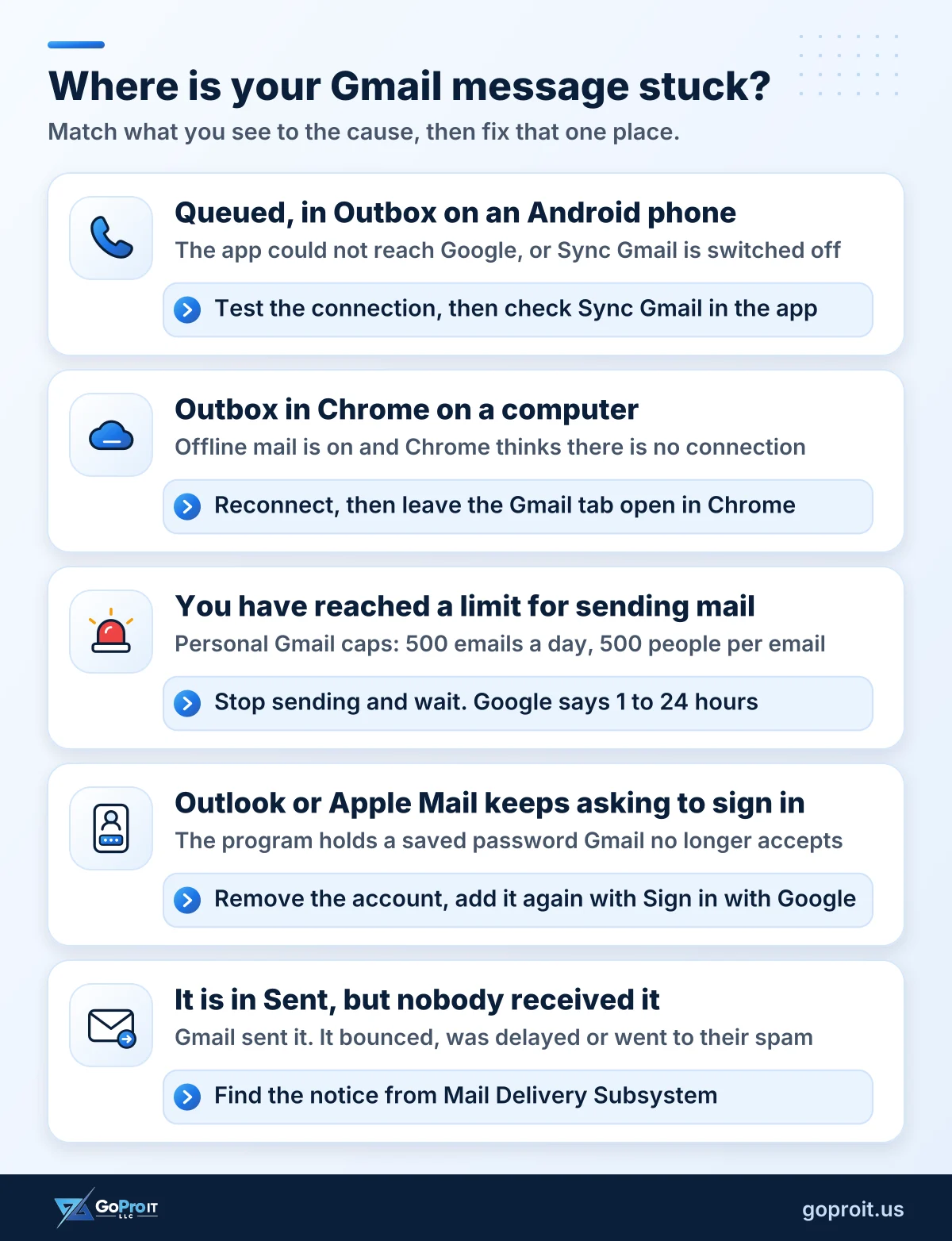
| Where the message is | What that tells you | What to do |
|---|---|---|
| Outbox on an Android phone, marked “Queued” | The app has not been able to pass it to Google: no working connection, sync turned off, a full phone, or an attachment still uploading | Follow the phone section below |
| Outbox in Chrome on a computer | Offline mail is switched on and Chrome believes it has no internet | Reconnect and keep the Gmail tab open |
| Drafts, and Send gives an error | Gmail refused it. The wording names the reason, such as a sending limit or full storage | Read the error, then check the limits table |
| Scheduled | Schedule send was chosen from the arrow beside Send. Nothing is broken | Select the message and click Cancel send. It becomes a draft you can send now |
| Sent, but the recipient has nothing | Gmail did its part. The message bounced, was delayed or landed in their spam | Look in your inbox and Spam for a notice from “Mail Delivery Subsystem”, then ask them to check junk |
| The Outbox of Outlook, Apple Mail or Thunderbird | That program can’t sign in to Gmail, or the message breaks a limit that only applies to mail programs | Send it from mail.google.com, then fix the program’s sign-in |
When nobody in the office can send, leave the phones alone. Check the Google Workspace Status Dashboard at google.com/appsstatus for a Gmail incident, and if Gmail is green there, go to the admin section further down.
Gmail queued on Android, or stuck in Outbox on a phone
“Queued” is the Android app’s word for a message it has written but not yet handed to Google. Google treats it as a sync error, and “You can’t send messages” is the first symptom on its list. Start with the cheap checks.
- Prove the connection. Open a website in Chrome. A phone stuck on guest Wi-Fi with an unfinished sign-in page shows full bars and passes no traffic, so switch to mobile data and watch the Outbox.
- Check Sync Gmail. In the Gmail app tap Menu > Settings, choose the account, and under “Data usage” make sure Sync Gmail is checked.
- Update Gmail and restart the phone. Dull, and it clears a stuck queue more often than you’d think.
- Free space on the phone. Google says the Gmail app doesn’t sync when the device is low on storage.
- Check your Google storage. At the limit you can’t send or receive on any device. Our guide to Gmail storage full shows what to clear.
The attachment is the other usual suspect. A message carrying a big video sits in Outbox for as long as the upload takes. Send the text alone. If that goes, see Gmail not sending attachments for size limits and Drive links.
Google’s last resort is Clear storage for the Gmail app in the phone’s app settings, and it warns that this can erase drafts, your signature and other settings. A queued message exists only on the phone, so copy its text somewhere safe first.
The iPhone app has an Outbox too, with different settings behind it. Those steps are in Gmail not working on iPhone.
Messages waiting in Outbox on a computer
Gmail in a browser only shows an Outbox when offline mail is turned on. Anything you send while Chrome has no connection waits there, and Google says it goes automatically once you are back online.
Two things keep it sitting there. Chrome has to be open, because offline mail only syncs while it runs. And the laptop has to be online for real, which on conference Wi-Fi is not a given. Reconnect, open Gmail in a normal Chrome window and leave the tab alone for a few minutes.
The box is Enable offline mail on the Offline tab of Gmail’s settings. It works only in Chrome, never in Incognito. If nobody uses it on purpose, let the Outbox empty and then untick it.
When there is no Outbox and Send does nothing, try once in a private window, which takes extensions out of the picture.
Sending limits: the numbers Google publishes
Google caps how much one account can send. Hit one and sending stops, while sign-in and incoming mail carry on. These are the figures on Google’s help pages as of November 2026, and Google says they can change without notice.
| Limit | Personal Gmail | Google Workspace |
|---|---|---|
| Messages per day | 500 | 2,000 (500 on a free trial account) |
| Recipients on one message | 500 | 2,000 in total, no more than 500 of them outside your organization |
| Recipients on one message sent from a mail program over POP or IMAP | Not listed separately | 100 |
| What you see | “You have reached a limit for sending mail” | “You have reached a limit for sending email”, “You reached a Gmail sending limit” or “You exceeded the maximum recipients” |
| How long it lasts | 1 to 24 hours | Up to 24 hours |
The day is a rolling 24 hours, not midnight to midnight. On Workspace, mail sent from an alias, by a delegate or by the vacation responder counts against the same person.
The 100-recipient cap is the one that catches offices. On Workspace, the same announcement to 180 customers goes out from Gmail in the browser and fails from Outlook, and nobody connects the two.
Better still, stop using one person’s mailbox for bulk mail. Google suggests a Google Group for people you write to again and again. Newsletters belong in a mailing service built for the job.
Rather have a technician sort it out?
If Gmail still won’t send from your phone or mail program, a technician can connect to your computer with your approval, test the account, fix the sign-in and talk you through the phone steps. A GoProIT technician can connect remotely, with your permission, and fix it while you watch. $59 per fix, Mon–Fri 8am–8pm ET.
Gmail not sending emails from Outlook, Apple Mail or another program
Send the same message from mail.google.com first. When that works and the program doesn’t, leave your Gmail settings alone: the fault is in how the program signs in.
Gmail no longer accepts a Google username and password typed into a third-party program. It expects a “Sign in with Google” window. A program still holding an old saved password shows “Username and password not accepted” or “Invalid credentials”, or asks for the password over and over.
- Update the program. Google names Outlook 2016 as an older version that may not support the security standards Gmail asks for.
- Remove the Gmail account from the program, add it again, and choose Sign in with Google when it is offered.
- After a Google password change, expect to set the account up again in every mail program.
App passwords are for things that can’t show a Google sign-in window at all, mostly copiers, scanners and old accounting software. The server names, ports and device error codes for those are in our guide to Gmail app passwords and SMTP settings.
Sending from another address inside Gmail
Some people send as a second address through Send mail as, on the Accounts and Import tab of Gmail’s settings. Gmail hands those messages to the other provider’s server, so when that provider changes a password or a port, sending fails with “Couldn’t reach server” or “TLS Negotiation failed”. Confirm the provider’s outgoing server and use one of the pairs Google lists: SSL with port 465, or TLS with port 587 or 25.
That feature has an end date. Google’s help page says that starting January 2027, Gmail will no longer support “Send as” for third-party addresses such as @yahoo.com or @outlook.com. Google Workspace aliases and other Gmail addresses you own are not affected. If your office still sends from an old Yahoo or Outlook.com address inside Gmail, plan the move now.
Work accounts: what the Google Workspace admin should check
When one person at work can’t send and the browser test fails too, the answer is usually on that user’s page in the Admin console and not on their computer.
- Is the user’s Gmail suspended? Go to Menu > Directory > Users and open the user. A message at the top left says why. While Gmail is suspended the person can’t send or receive, yet Drive and Calendar keep working, which is why it gets mistaken for a mail fault.
- Reactivate, if Google allows it. Click Reactivate at the top right. Google says it can take up to 15 minutes for mail to come back. If the button isn’t there, the limits reset by themselves within 24 hours.
- Mind the count. The same account can be restored only 5 times in a calendar year. After that nobody can reset it early, Google Support included.
- Find out what sent all that mail. A mail merge is one explanation, a stolen password the other. Google warns that accounts sending spam can be restricted permanently.
An account that normally sends twenty messages a day and suddenly hits the 2,000 limit is taken over until you know otherwise. Reset the password and check the Sent folder, filters and forwarding before you reactivate anything.
Watching sending limits, aliases and suspended users is routine work in our Google Workspace management.
When to stop and get help
Some of this can’t be fixed by trying harder.
- A sending limit. Nobody can lift one on a personal account, and on a work account only your own admin can try. GoPro IT is not affiliated with Google and can’t shorten the wait.
- Mail in Sent that you didn’t write, or a limit you had no reason to hit. That is a security problem first and a sending problem second.
- A work mailbox that has used its five restores for the year. It comes back by itself after 24 hours.
- Everyone in the office stuck at once while the status dashboard is green. Look at what changed on your side, such as a new firewall or web filter.
If you’d rather hand it over, one phone or one mail program that won’t send through Gmail is a typical $59 remote fix. A technician connects to your computer with your approval and talks you through the phone, and you can end the session whenever you like.
Common questions
Why does Gmail say Queued instead of sending?
Queued is what the Gmail app on Android shows while a message waits in Outbox for a chance to go. The app needs a working connection, sync switched on for the account, and enough free space on the phone. A large attachment on a weak signal produces the same label. Open a website to test the connection, swipe down in the inbox to refresh, then check Sync Gmail in the app’s settings.
Why are my Gmail emails stuck in Outbox on my computer?
Gmail in a browser only has an Outbox when offline mail is enabled in Chrome. Messages written without a connection wait there and go once Chrome is online again, but only while Chrome stays open. Reconnect, open Gmail in a normal window and give it a few minutes. If you never meant to use offline mail, switch it off on the Offline tab in Gmail’s settings after the Outbox has emptied.
How many emails can I send from Gmail in one day?
As of November 2026, Google’s help pages give 500 messages a day for a personal Gmail account and 2,000 for a paid Google Workspace user, with 500 for Workspace trial accounts. One message can go to 500 people from a personal account. The count runs over a rolling 24 hours, and Google says the limits can change without notice, so check its pages before planning a large send.
How long does the Gmail sending limit last?
For a personal account, Google says you should be able to send again within 1 to 24 hours. For Google Workspace it says up to 24 hours, after which the limits reset. A Workspace admin can sometimes reactivate a suspended mailbox sooner from the user page in the Admin console, but only five times per account in a calendar year. Receiving mail keeps working throughout.
Why can I receive emails in Gmail but not send them?
Receiving and sending fail for different reasons. A sending limit blocks outgoing mail while incoming mail carries on as normal. In a mail program such as Outlook, incoming and outgoing mail use separate connections, and the outgoing one fails when the saved sign-in is out of date. On a phone, one message stuck in Outbox behind a large attachment can make sending look broken when everything else works.
Does Sent in Gmail mean the email was delivered?
No. Sent means Gmail accepted your message and passed it to the recipient’s mail system. That system can still reject it, delay it or file it as spam. If it is rejected, you get a notice from Mail Delivery Subsystem, usually titled Delivery Status Notification (Failure), sometimes hours later. No notice and no reply often means the message is sitting in the other person’s junk folder, so ask them to look there.
Will I still be able to send from my Yahoo or Outlook address in Gmail?
Not for long. Google’s help page on sending from a different address says that starting January 2027, Gmail will no longer support the Send as feature for third-party addresses such as Yahoo or Outlook.com. Google Workspace aliases and other Gmail addresses you own are not affected. Before then, send that mail from the other provider’s own app or website, or move the address to a mailbox you control.