
Meetvo AI Notes · A GoProIT product
Meeting Notes That Show Where Every Point Came From
Switch on AI notes in a Meetvo meeting and get a transcript with each speaker’s name, a short summary, the decisions, the action items with who and by when, the risks and the open questions. Click any item to jump to the words it came from and hear them.
- Free: 10 hours of AI notes a month
- English, Urdu and mixed
- Everyone in the call sees a notice
- No bot joins your meeting
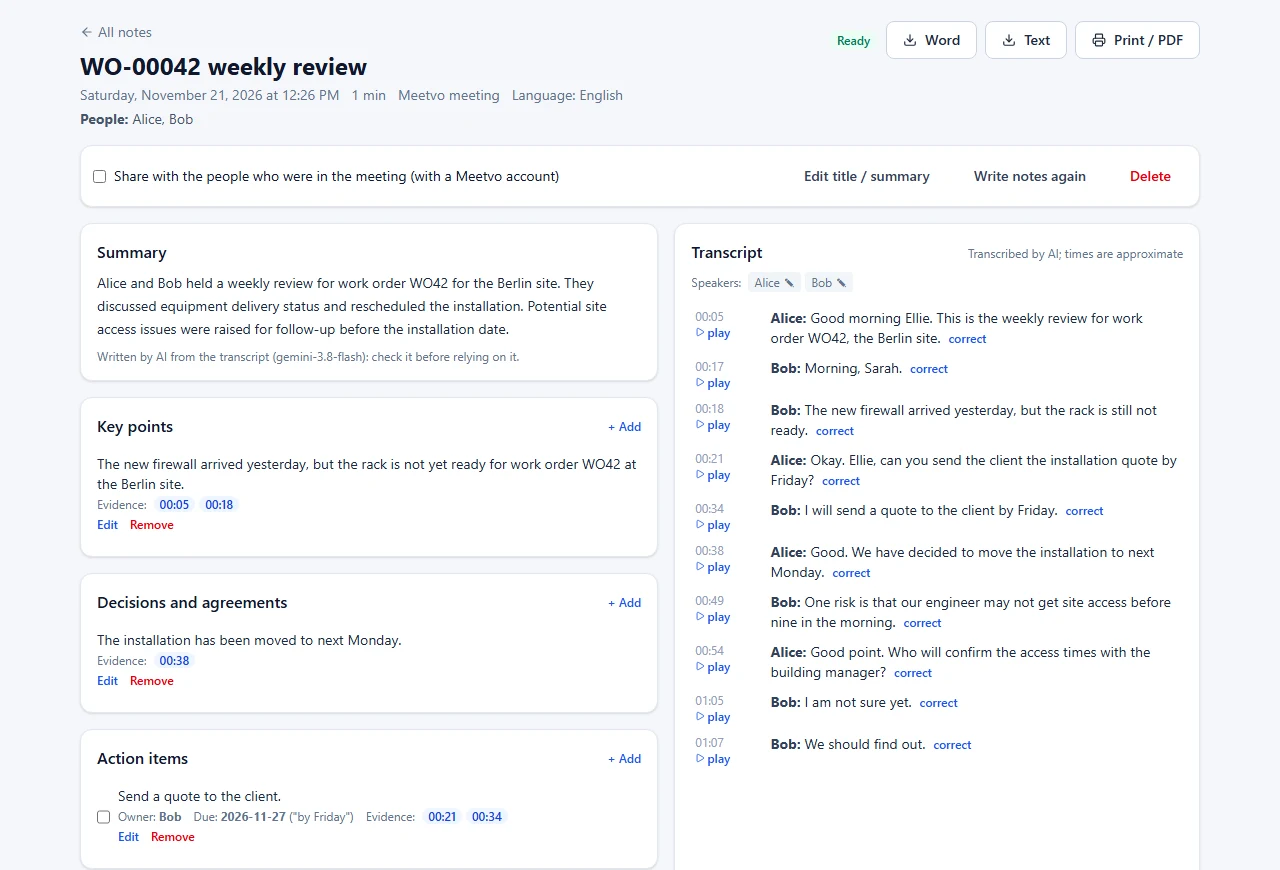
Notes taken by hand miss things, and notes written by an AI are only useful if you can trust them. Meetvo AI Notes ties every key point, decision and action item to the lines of the transcript it came from, so checking one takes a click instead of a replay of the whole call.
An owner or a deadline is only filled in when the meeting actually said it. Anything the AI suggests but cannot point to in the transcript is listed separately as unchecked, never as a fact.
What you get after every meeting
These pictures are real screenshots of Meetvo AI Notes from a test meeting between two computer voices (which is why one name came out as “Ellie”). Click a picture to see it full size.

Summary, decisions and actions
A short summary, the main points and the decisions made. Action items show who is responsible and the deadline in the words used, such as “by Friday”, turned into a date. Tick an action when it’s done.
A transcript with names and times
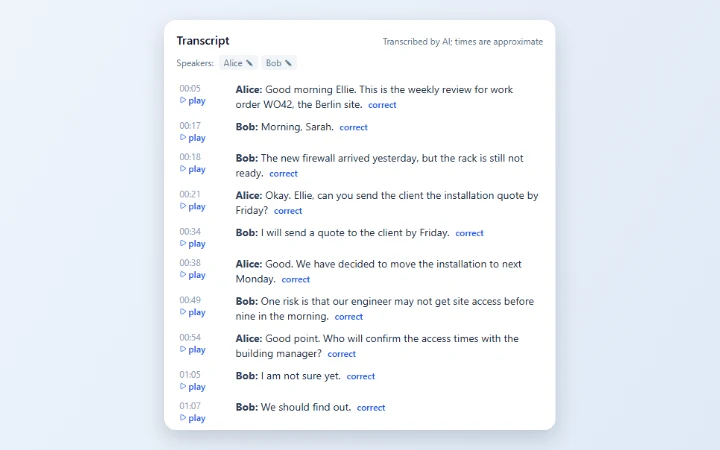
Each line shows who spoke and when, with a play button to hear that moment. Fix a word with “correct” (the original stays on record) or rename a speaker everywhere at once.

Risks and open questions
Follow-ups, risks and questions nobody answered are listed too. The time buttons next to each one take you straight to the lines it is based on.
One button for the host
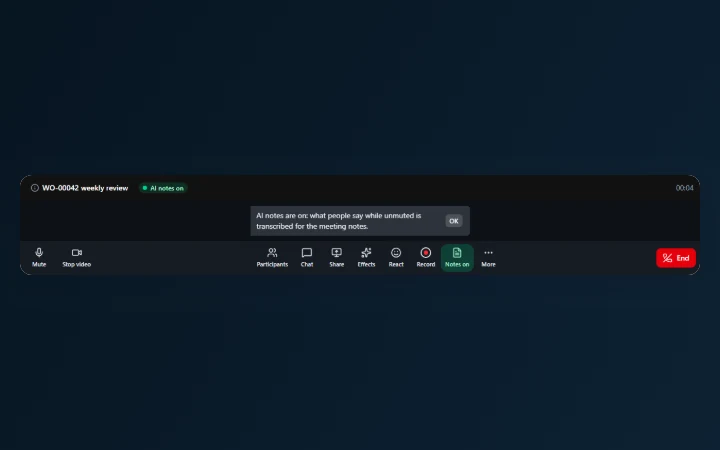
The host presses AI notes in the meeting, or sets notes to switch on by themselves. Everyone in the call sees “AI notes on” at the top and a notice explaining it.
How it works
Nothing to install and no bot joining your call: it works inside Meetvo itself.
The host switches it on
One button in the meeting, or a setting so notes start in every meeting they host.
Everyone sees it
“AI notes on” shows at the top of everyone’s screen, including people who join later.
Each voice, by name
Each person’s own microphone is transcribed while they’re unmuted. Muting pauses it.
Notes when it ends
The transcript builds up during the meeting; the summary and action items follow a few minutes after it ends.
Ask your meetings a question
“Who is sending the quote, and by when?” Ask AI searches the notes you’re allowed to open and answers with the lines it used. If your meetings don’t say, it tells you it couldn’t verify it instead of guessing.
Free while you try it
AI notes come with every Meetvo account.
The monthly hours count meetings you host and recordings you upload. When they’re used up, notes can’t be switched on again until the next month; anything already captured is kept.
Questions
Does it work with Zoom, Microsoft Teams or Google Meet?
Not inside those apps. AI notes work in Meetvo meetings, and you can upload a recording from any other app, including Zoom, Teams and Google Meet, to get the same transcript and notes.
Do the people in the meeting know?
Yes. When the host switches notes on, everyone in the call sees “AI notes on” at the top and a notice. Each person’s microphone is only transcribed while they’re unmuted.
Who can read the notes?
The host who took them, or the person who uploaded the recording. The host can share them with the people who were in the meeting and have a Meetvo account. Guests who joined by link never see notes.
How accurate is it?
It’s AI, so it can mishear words or names. That’s why every point links to the transcript lines behind it, you can correct any line, and anything the AI couldn’t tie to the transcript is listed separately. Check important points before relying on them.
Which languages does it understand?
English, Urdu, and meetings that mix the two. Urdu is written in Urdu script and English words stay in English. The summary and action items are written in English.
Which AI makes the notes?
Transcription and notes are made by Google’s Gemini. Meetvo sends it the meeting audio and the transcript for that purpose only.
Can I delete notes?
Yes. Deleting removes the audio at once and the notes for everyone who could read them. Audio is deleted by itself after 30 days; the transcript and notes stay until you delete them.
What does it cost?
It’s free, with 10 hours of AI notes per account a month.
Stop taking notes by hand
Create a free Meetvo account and switch on AI notes in your next meeting.


